

Purpose of the Contact Section
The contact section exists to give readers one predictable, reliable way to reach the website team. Instead of scattering inquiries across multiple channels that nobody monitors consistently, everything routes through a single form on this page. Most messages fit a small number of recognizable categories — corrections to articles, reports of technical glitches, topic suggestions, or general thoughts about the site. Centralizing intake keeps response quality consistent across topics. It also means readers never have to guess which channel applies to their specific situation.
Common Reasons Visitors Reach Out
Messages received through the form tend to cluster around three recurring needs, each described in its own subsection below. Content questions form the largest share, since most readers reach us after finishing an article. Technical issue reports come next, usually flagging something specific that broke during their visit. General feedback rounds out the third category, often touching on organization, navigation, or coverage gaps. Each category benefits from slightly different message details, and the subsections explain what works best.
Typical categories of incoming messages:
- Content corrections or follow-up questions on published articles.
- Reports of broken pages, layouts, or navigation issues.
- General comments on site structure and organization.
- Topic suggestions for new guides we don’t yet cover.
- Editorial feedback on writing style or clarity.
Questions About Published Content
The bulk of incoming messages target specific published articles on the site. Topics cover sportsbook walkthroughs, app installation guides, login troubleshooting articles, bonus terms explainers, and casino game overviews. Readers occasionally spot factual mistakes or outdated details that slipped through our editing process. They also frequently suggest entirely new topics that they wanted explained but couldn’t find covered. The more specific the reference (article title or URL), the faster we can locate and address the issue.
Reporting Technical Problems
Site-side technical glitches make up the second large category of incoming messages. Common examples include pages that fail to load completely, navigation menus that don’t respond on mobile screens, images that display incorrectly, broken internal links between articles, and layouts that distort on certain browsers. The most useful technical reports include the page URL where the problem occurred, the browser and version being used, and the device type involved. A short note on what was expected to happen versus what actually appeared on screen helps with reproduction. Most reproducible reports get fixed within several working days.
Sending General Website Feedback
The third category covers broader feedback that isn’t tied to a specific article or technical glitch. Examples include opinions on how the site is organized, suggestions for how content categories should be structured, comments on the writing style or article length, and notes about navigation flow. Specific examples make this feedback substantially easier to act on than general impressions alone. Several existing articles on the site actually started life as suggestions from earlier feedback messages. Reader input meaningfully shapes editorial planning over time, even when it doesn’t produce an immediate visible change.
Using the Website Contact Form

The contact form on this page is the only route we offer for reaching the website team. There are no other channels associated with this site — no public chat widget, no separate inbox advertised on social media, no direct line through messaging apps. Anyone claiming to represent the website team through other channels is not actually us, and messages sent that way will not reach us. The form itself accepts three pieces of information: your name, your email address, and your message body. Submitting the form sends the message into our internal review queue.
Information Users Usually Provide
Most readers complete three fields when submitting through the form. A first name is generally sufficient for the name field, since formal identification isn’t required. An email address is essential because that’s where any reply will be sent. The message body should describe the question, problem, or feedback clearly and specifically. Optional context like a relevant page URL, the device being used, or any error messages seen will speed up our review significantly.
Standard information collected through the form:
- Name (a first name is generally fine).
- Email address for the reply.
- Message body describing the question or issue.
- Optional: page URL relevant to the message.
- Optional: device type and browser if technical.
Review of Submitted Requests
Every message that comes through the form is read by a real person rather than processed automatically by a script. Simple corrections to existing articles are typically addressed within a day or two of submission. Reports of technical bugs naturally take longer because they need to be reproduced and tested before any code fix can be deployed. Suggestions for new topics enter our editorial queue, which doesn’t operate on a fixed timeline. Volume of incoming messages also affects turnaround, particularly during weeks with high site traffic.
Requests Outside the Website Scope
Some requests fall outside what this website can actually help with, and it’s important to be direct about those limits. We are an independent information resource, not the betting platform itself, and we hold no user accounts, balances, or payment information. We have no access to Jaya9’s internal systems, no influence over game outcomes, and no role in verifying KYC documents. Messages about platform-side issues will be politely redirected rather than processed. The table below outlines where to go for common out-of-scope topics:
| Out-of-Scope Topic | Where to Go Instead |
| Login or password issues | Jaya9 platform support |
| Deposits, withdrawals, balances | Jaya9 cashier and support |
| Game outcomes or bet disputes | Jaya9 platform support |
| KYC document verification | Jaya9 account team |
| Bonus credit on account | Jaya9 promotions support |
Contact Access From Mobile Devices
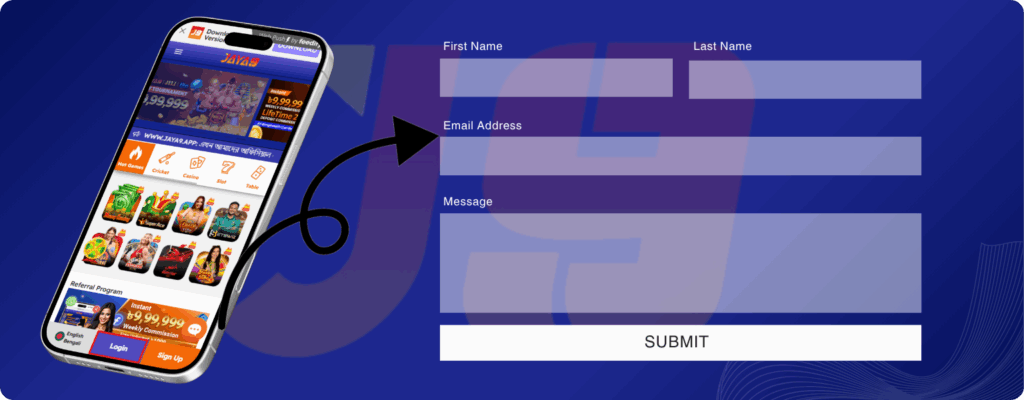
The contact form is fully usable from any phone or tablet, and most submissions we receive actually arrive through mobile browsers. The page layout adapts automatically to smaller screens, with readable field labels that don’t require zooming and a single-column flow that fits any device width. Submit buttons sit within natural thumb reach for one-handed use. The mobile keyboard switches to email-mode input automatically when the email field is selected. There is no separate mobile app to install, since the form works identically across desktop and mobile environments.
Privacy and Message Handling
The information you provide through the contact form is used solely for handling your specific request and nothing else. We do not share your email address with third parties, do not add submitters to any kind of mailing list, and do not retain message records indefinitely after an issue is closed. The data sits within our internal review queue while the request is being processed and is cleared periodically once resolved. Submitted messages are treated as private to the conversation between you and the review team. Full details on how we handle data sit in the site’s posted privacy notice.
Improving Communication and User Experience
The way we handle communication evolves alongside the website itself as reader needs change. The structure of the contact form, the optional fields we ask for, and the acknowledgment style we send back have all been adjusted in response to patterns we noticed over time. Recurring themes in incoming messages often signal areas where the site itself needs clearer content or better navigation. Suggestions for improvement frequently get incorporated into editorial planning during quarterly reviews. None of these processes are fixed or final, and they continue adapting as the site develops.
Before Sending a Request
A few practical habits make incoming messages substantially easier to review and act on. Checking whether the answer already exists somewhere on the site is the most important step. Including specific page URLs rather than vague references gives us an immediate starting point. Mentioning device and browser details matters specifically for technical reports. Using an email address you actually check ensures any reply actually reaches you.
The most useful items to include in any message:
- Specific page URL or article title in question.
- Clear description of the problem, question, or feedback.
- Device type and browser if reporting a technical issue.
- Active, monitored email address for the reply.
- Brief expected-versus-actual note for bug reports.
Common message categories and their typical review timeframes:
| Message Type | Typical Review Time |
| Article correction | 1-2 days |
| Technical bug report | 3-7 days |
| Topic suggestion | Variable (editorial queue) |
| General feedback | Acknowledged where possible |
| Out-of-scope query | Redirected promptly |
Provide Clear Details
The most actionable messages we receive describe the problem in plain, specific language rather than general impressions. A note like “the bonus article lists 80% but the platform actually shows 100% on the same page” gives us something we can verify immediately. A vague note like “your bonus article is wrong somewhere” forces our reviewers to guess which article and what aspect was incorrect. Detail in this context isn’t about length, since short messages can still be very specific. Clarity matters far more than word count when the goal is a useful reply.
Check the Relevant Page First
Many of the questions sent to us are already answered somewhere on the site, often in the FAQ section of the very article the reader was viewing. Scanning the article you’re reading for an existing answer takes less time than waiting for our review queue to reach your message. Articles cross-link to related guides, so the answer might also live in a nearby topic rather than the main page. The site search function helps locate specific terms across the whole content library. Save the contact form for genuine cases where you couldn’t find what you needed.
Use an Active Email Address
Replies from the team are sent only to the email address you provide in the form. An inactive, mistyped, or abandoned address means our reply simply never reaches you, even when we’ve reviewed the message and prepared an answer. Double-check the email address carefully before submitting the form. After submitting, watch both your inbox and your spam folder for our response over the following days. Some free email providers occasionally route our domain into spam filters, so the spam check is worth doing.
Conclusion
The contact form is the way to reach the website team about content, technical problems on the site, and general feedback. It is not a route to the Jaya9 platform’s own support team, and account-related issues need to go through them directly instead. Clear messages with specific details consistently get faster, more useful replies than vague ones. We read everything that comes through the form, even when we can’t act on every single item. The quality of your message shapes the quality of the response.
FAQ
- Purpose of the Contact Section
- Common Reasons Visitors Reach Out
- Using the Website Contact Form
- Information Users Usually Provide
- Review of Submitted Requests
- Requests Outside the Website Scope
- Contact Access From Mobile Devices
- Privacy and Message Handling
- Improving Communication and User Experience
- Before Sending a Request
- Conclusion
- FAQ